
Smart Alarm Systems & IoT Integration: Connecting Alarm Panels to Building Management Systems
Author
SSAL Expert TeamPublished
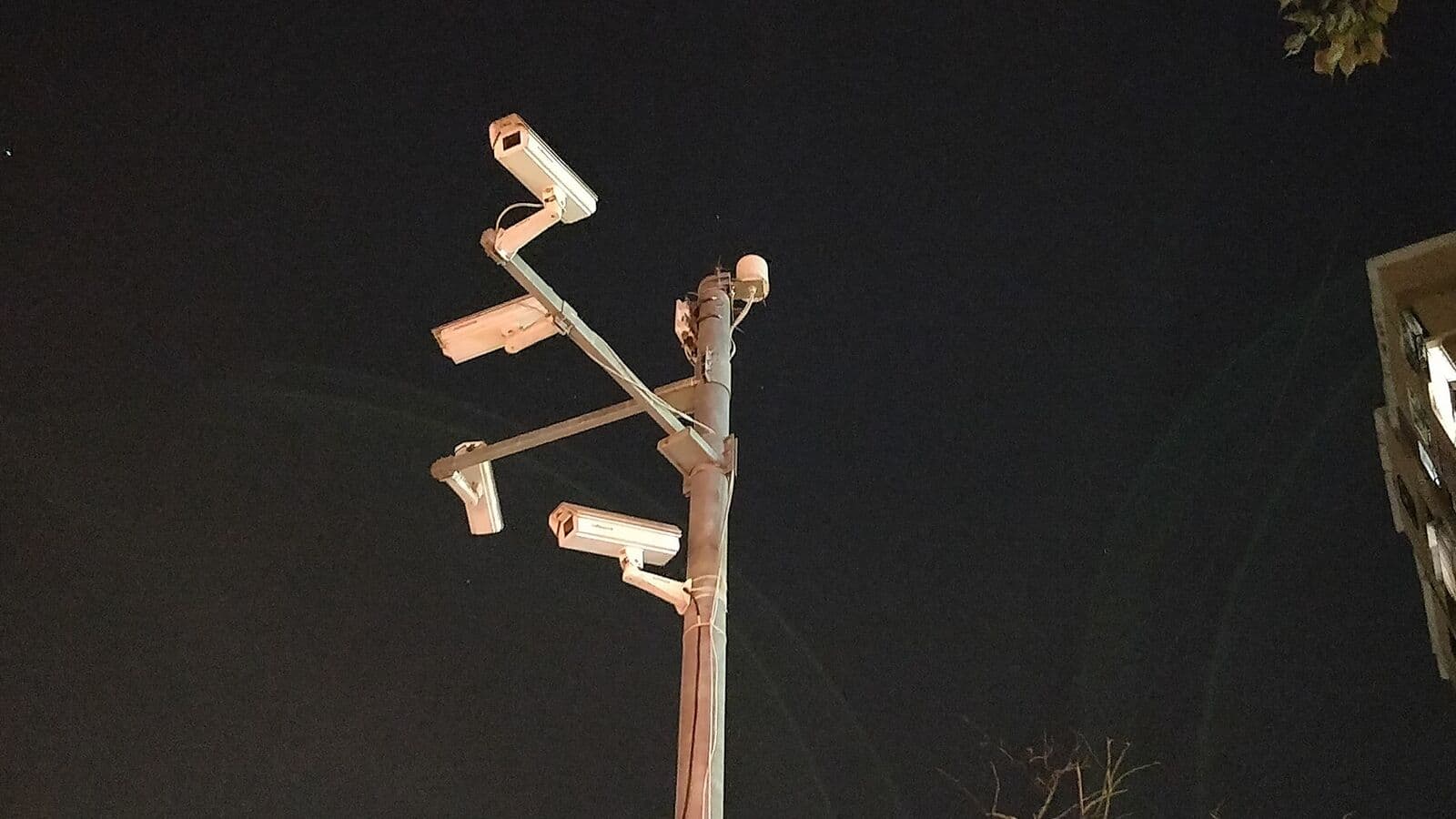
The modern alarm panel is no longer a standalone device that rings a bell and calls a monitoring centre. In a smart building environment, the alarm system is a participant in an integrated ecosystem — exchanging data with the building management system, the video management system, the access control platform, and cloud management dashboards in real time. This integration multiplies the operational value of each component.
This guide explains how alarm systems integrate with other building technologies, what protocols enable these integrations, and how Bangladesh's smart building sector is implementing these capabilities in practice.
From Isolated Systems to Integrated Security Ecosystems
Traditional alarm systems operated in isolation. An alarm triggered a sounder, notified a monitoring centre, and logged an event. The guard responded. The camera operator manually found the relevant camera. The building systems — lighting, HVAC, access control — continued operating independently.
Integrated alarm systems change this fundamentally. When an alarm triggers:
- The VMS automatically displays the camera nearest the alarmed zone
- The BMS turns on lights in the alarmed area and locks down HVAC
- The access control system prevents exit from the building until the alarm is cleared
- The cloud dashboard notifies the security manager's phone with a live camera feed
- The event is logged simultaneously in the alarm system, VMS, and BMS with a common time-stamp
This simultaneous response — which would require manual coordination across multiple systems without integration — happens automatically in seconds. The security operator receives a complete situational picture without having to navigate between systems.
Integration Protocol 1: REST API
REST API (Representational State Transfer Application Programming Interface) is the dominant method for exchanging data between software systems over IP networks. It is the same protocol used by web services, mobile apps, and cloud platforms worldwide.
An alarm panel or alarm management software with a REST API exposes a set of defined web endpoints that other systems can query or post data to:
- GET /alarm/zones: Retrieve the current status of all zones (armed, disarmed, alarmed)
- POST /alarm/arm: Command the panel to arm a specific partition
- GET /alarm/events: Retrieve the event log with timestamps and zone identities
The BMS, VMS, or custom integration platform sends HTTP requests to these endpoints to exchange data. Because REST APIs use standard HTTP/HTTPS, any software that can make web requests — which is virtually all modern building management software — can integrate with a REST API-equipped alarm system.
REST API in Practice
A Bangladesh corporate headquarters using a Bosch alarm system and a Honeywell Niagara BMS platform can query the alarm panel's REST API every 30 seconds for zone status updates. When the BMS receives an "alarm" status for a specific zone, it executes its automated response script: turn on lights, send notification to the BMS operator console, and log the event in the BMS database with a common reference to the alarm event ID.
REST API integration is typically implemented by the building's IT integration team or by the main contractor's system integrator, working from API documentation provided by the alarm panel manufacturer. Not all alarm panels have REST APIs — verify this capability before selecting a panel for a smart building application.
Integration Protocol 2: MQTT
MQTT (Message Queuing Telemetry Transport) is a lightweight publish-subscribe messaging protocol designed for IoT environments with constrained bandwidth and power. It is increasingly used for alarm system integration in smart building and industrial IoT contexts.
In an MQTT architecture:
- A broker (typically a server or cloud service) manages message routing
- The alarm panel publishes messages to the broker on defined topics (e.g., "building/floor3/zone-17/alarm") when events occur
- Other systems (BMS, VMS, dashboard) subscribe to topics they care about and receive messages in real time as they are published
Unlike REST API (where the requesting system polls for data at intervals), MQTT is event-driven — the alarm publishes a message the instant an event occurs, and all subscribers receive it within milliseconds. This makes MQTT ideal for real-time alarm integration where speed of notification matters.
MQTT in Smart Building Contexts
MQTT is particularly popular with Ajax alarm systems, which support native MQTT publishing to cloud brokers. A Bangladesh smart building integrator can configure an Ajax hub to publish zone alarm events to a cloud MQTT broker (AWS IoT, Azure IoT Hub, or a private broker). The BMS and VMS subscribe to the same broker and receive alarm events in real time, enabling sub-second alarm-to-response automation.
MQTT is also the protocol of choice for custom IoT integrations where a developer is building a bespoke security dashboard or integration platform. The protocol's simplicity and widespread library support (Python, JavaScript, C++) make it accessible to developers without deep alarm system expertise.
Integration 1: BMS — Alarm Events Automating Lighting and HVAC
The building management system controls a building's core services: lighting, HVAC, lifts, power distribution, and access to utilities. Integrating alarm events with the BMS enables automated building responses to security events.
Lighting Automation on Alarm
When an alarm zone triggers after hours, the BMS should turn on all lights in the alarmed area and adjacent areas. This serves two purposes:
- Deterrence: A suddenly illuminated building suggests that security staff are aware and responding, which may deter an intruder
- CCTV quality: CCTV cameras operate at vastly better quality in adequate lighting. Switching on lights at the moment of an alarm gives the operator a much clearer view of the incident area
Configuration in the BMS: create an alarm event listener that triggers a lighting scene change (all luminaires in zone to 100%) when the alarm API reports a zone alarm event. This lighting scene should remain active until the alarm is cleared and a security officer manually resets the scene from the BMS console.
HVAC Lockdown on Alarm
HVAC systems include ceiling plenums, ductwork, and raised floor voids that provide concealed movement paths within a building. An intruder in a building can, in theory, access multiple zones via ductwork without entering detection zones. When a high-security zone alarms, locking down HVAC — closing motorised dampers to seal ductwork access — removes this movement path.
For most commercial buildings this level of integration is aspirational rather than practical, but for high-security zones — data centres, government secure rooms, bank vaults — BMS-controlled HVAC lockdown is a meaningful security measure.
Energy Management Integration
A secondary benefit of alarm-BMS integration: when the alarm is armed (building unoccupied), the BMS automatically applies energy-saving settings — reduced lighting, reduced HVAC, minimum service levels. When the alarm is disarmed in the morning, the BMS returns to occupied settings automatically. This automation reduces energy consumption without any operational behaviour change from staff.
Integration 2: Access Control — Alarm-Triggered Lockdown
When a security alarm triggers — particularly a duress or panic alarm — the access control system should respond by locking down doors in the affected area. This prevents the suspected intruder from moving through the building via access-controlled doors and prevents occupants from leaving through areas where an incident may be in progress.
How Alarm-to-Access Control Integration Works
The alarm panel sends an event to the access control system via API or dry contact relay. The access control system responds with a lockdown command — all doors in the defined lockdown area switch to locked/secure mode, where credentials are no longer accepted. Release from lockdown requires authorised override from the security management console.
This integration is particularly critical for:
- Bank holdup response: When a teller activates a holdup button, the access control system locks all exit doors from the branch, preventing the intruder from leaving before police arrive
- Active intruder response: When an intrusion alarm is verified, locking down access-controlled doors prevents the intruder from moving between secured zones
- Duress response: When an individual uses a duress PIN (a PIN code that appears to disarm the alarm but actually signals a covert alarm), the access control system can simultaneously initiate lockdown while appearing normal to the person who coerced the legitimate user
In Bangladesh's banking sector, this holdup-to-lockdown integration is a capability that Bangladesh Bank's physical security guidance encourages. SSAL has implemented this integration at several major bank branch installations, connecting Bosch alarm panels with Gallagher and ZKTeco access control systems.
Integration 3: VMS — Alarm Triggers PTZ Camera Preset
The video management system integration with alarm events is the most operationally impactful integration for security operations. When an alarm triggers, the VMS should:
- Display the nearest camera on the operator screen: The alarm event carries the zone ID; the VMS maps zone IDs to camera associations. The relevant camera feed appears automatically on the operator's primary monitor.
- Record at increased frame rate: Some VMS platforms switch cameras associated with an alarm zone from normal recording (15fps) to alarm recording (25fps or continuous) to capture event detail.
- Move PTZ cameras to pre-set positions: Pan-tilt-zoom cameras associated with alarmed zones execute a pre-programmed preset that positions the camera to optimally cover the alarm location. No operator interaction is required — the camera arrives at the right position automatically.
- Trigger video analytics on the alarmed feed: Advanced VMS platforms activate person-detection or object-detection analytics on the alarmed camera feed, automatically tagging the video with detected persons or objects for faster post-incident review.
Implementation
Most professional VMS platforms (Milestone XProtect, Genetec Security Centre, Avigilon Control Centre) support alarm-to-camera association through their alarm management modules. The alarm panel sends an alarm event via the VMS's alarm input API or via direct dry contact relay inputs on the VMS server. The VMS responds according to the alarm management rules programmed by the system integrator.
For Bangladesh enterprise deployments, this integration is increasingly standard in new premium commercial and government building installations. The operational benefit — an operator who immediately sees the alarmed zone on screen — is dramatic compared to manually navigating to the camera.
Cloud-Based Alarm Management Dashboards
Cloud-connected alarm systems — particularly Ajax, Bosch with Remote Security Control (RSC), and Honeywell's cloud platforms — provide web and mobile dashboards that give security managers real-time visibility across multiple sites from anywhere.
Features of Cloud Alarm Dashboards
- Real-time event feed: Every alarm event, zone activation, arm/disarm, and power event appears in the dashboard within seconds of occurrence
- Multi-site management: A security manager overseeing 20 bank branches can view the alarm status of every branch on a single screen
- Remote arm/disarm: Authorised managers can arm or disarm specific partitions remotely from the dashboard
- User management: Add, remove, and configure user credentials without visiting the site physically
- Reporting: Generate alarm activity reports for audit purposes, including zone activity frequency (useful for identifying false alarm trends)
- Notification routing: Configure which events generate push notifications to which users, with escalation rules (if manager doesn't acknowledge within 5 minutes, notify the deputy)
Bangladesh Context: Multi-Branch Banking and Multi-Site Corporate
Cloud alarm dashboards are particularly valuable for organisations with multiple sites across Bangladesh — a bank with 30 branches, a retail chain with 50 stores, or a corporate group with operations in Dhaka, Chittagong, and Sylhet. Managing alarm systems at this scale through individual site visits is impractical. A cloud dashboard enables centralised management without physical presence.
Ajax's cloud platform is well-suited for this multi-site scenario and is gaining adoption among Bangladesh security integrators for bank branch alarm monitoring. Bosch's RSC platform provides similar multi-site capabilities at enterprise scale.
Bangladesh Smart Building Context
Bangladesh's premium commercial real estate sector — particularly grade-A office developments in Gulshan, Banani, and the emerging Bashundhara commercial district — is increasingly specifying integrated smart building systems. The integrated alarm-BMS-VMS-access control architecture described in this guide is moving from a differentiator to a baseline expectation in premium developments.
Key drivers in Bangladesh:
- Tenant expectations: International companies occupying premium office space expect integrated, intelligent security
- Insurance requirements: Insurers offering lower premiums for professionally integrated, monitored alarm systems incentivise integration investment
- Regulatory direction: Bangladesh Bank's evolving physical security guidelines push financial institutions toward more integrated, auditable security operations
- Technology cost reduction: Cloud platforms and open API architectures have dramatically reduced the integration cost compared to proprietary middleware solutions of a decade ago
Get Expert Help
Integrating alarm systems with BMS, VMS, and access control requires expertise in both security systems and IT integration — a combination that few vendors offer in Bangladesh. SSAL's engineering team includes security system specialists and IT integration engineers who design and implement the complete integrated smart security architecture.
We specify alarm panels with the right API capabilities, design the integration architecture, and deliver systems where alarm events automatically drive responses across the entire security ecosystem — from camera display through lighting and door lockdown.
Download Now our integrated smart building security guide, or contact SSAL directly to discuss your integration requirements and receive a systems architecture proposal.
Filed under
- smart alarm system
- IoT integration
- BMS integration
- alarm panel API
- MQTT alarm
- VMS integration
- cloud alarm
- Bangladesh smart building
- access control alarm
SSAL Expert Team
SSAL engineering team — Bangladesh-focused technical writing on security, fire-safety, ICT, and building technology.
Related Articles
Enterprise Alarm System Buying Guide: What Bangladesh Security Managers Need to Know
A complete alarm panel buying guide for Bangladesh security managers. Zone sizing, power backup, IP/GSM communication, VMS integration, and key vendor questions to ask.
OpenReducing False Alarms in Commercial Security Systems: Best Practice Guide for Bangladesh
Cut false alarms in your Bangladesh commercial alarm system. Best practices for detector selection, entry delay, cross-zone logic, and maintenance in heat and humidity.
OpenGlass Break Detectors vs. Motion Sensors: Do You Need Both for Complete Protection?
Learn how acoustic glass break detectors work versus motion sensors. Discover why layered protection with both technologies is essential for Bangladesh showrooms and banks.
OpenNeed Help Choosing the Right Solution?
SSAL engineers respond to RFQ submissions within 1 business day with a scoping call request.
- 48-hour site survey
- Free consultation
- 24/7 priority support