
How to Design a Command and Control Centre Video Wall: 7 Critical Decisions
Author
SSAL Expert TeamPublished
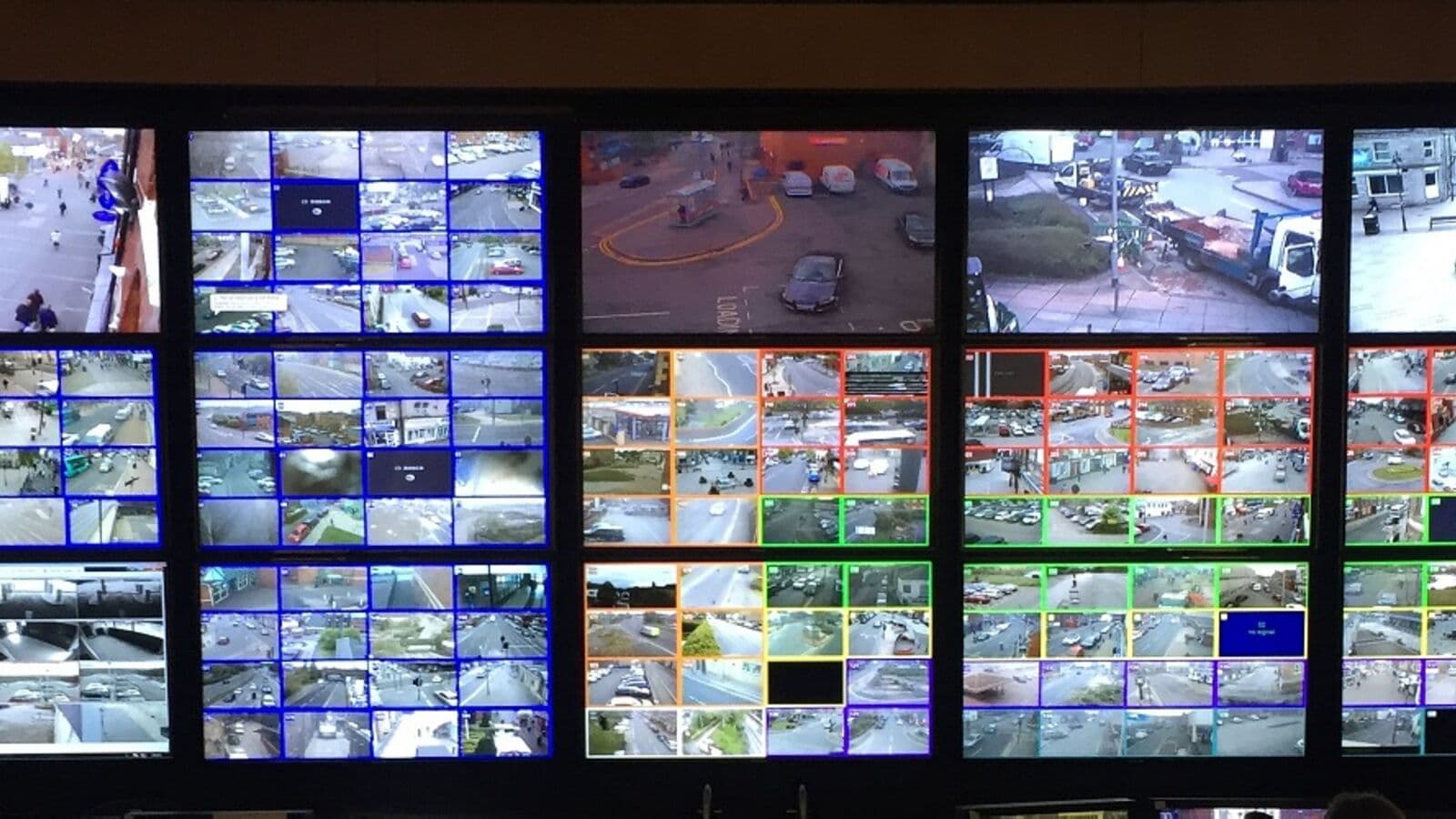
A command and control centre video wall is not a product purchase — it is a system design project. The video wall itself represents perhaps 40% of the total system value; the control system, content management infrastructure, operator workstations, cooling, power, and redundancy architecture constitute the rest. Getting any of these elements wrong creates an operational capability gap that affects every operator on every shift.
Bangladesh's monitoring infrastructure is growing. Police command rooms, bank operations centres, telecom NOCs (Network Operations Centres), utility monitoring stations, and corporate security operations centres (SOCs) are all investing in sophisticated video wall systems. This guide presents the seven critical design decisions that determine whether those investments deliver genuine operational value.
Decision 1: Video Wall Size and Layout
Starting with Sightlines, Not Screen Inches
The most common design mistake is beginning with a target screen size rather than with operator sightlines. Screen size should be determined by the number of operators, their seating positions, the required content resolution, and the physical dimensions of the room — not by an aspiration to a particular diagonal measurement.
The design process starts with operator seating layout. Draw the room to scale. Mark each operator position. Identify the furthest operator from the display wall — this is your critical sightline. Apply the pixel pitch formula (Minimum Viewing Distance = Pixel Pitch × 3) to determine the maximum pixel pitch that remains legible from that position.
For a room 8 metres deep with operators at 5 metres and 8 metres from the wall, a P2.5 panel is legible from the front row (5 m ÷ 3 = 1.67 mm minimum — P1.5 or P2.0 ideal) but borderline for the back row (8 m ÷ 3 = 2.67 mm — P2.5 is the maximum). In this scenario, P2.0 is the specification that serves all operators.
Standard Control Room Configurations
NOC and SOC control rooms typically use video walls in 16:9 aspect configurations:
- 2×2 (four panels): Suitable for small operations centres, 4–6 operators
- 3×2 (six panels): Most common configuration for 6–12 operator NOCs; displays 4–9 discrete content windows simultaneously
- 4×2 or 4×3: Larger operations centres, 12–20 operators; accommodates multiple simultaneous video feeds, maps, dashboards
- 6×3 or larger: Major control rooms (police, utility, national infrastructure); specialist design required
Each configuration should be modelled in advance to confirm that the selected pixel pitch and display content source count align with operational requirements before hardware procurement.
Decision 2: Pixel Pitch Selection
Pixel pitch is the distance in millimetres between adjacent LED clusters on a direct-view LED panel. It directly determines the maximum legible resolution the wall can display from a given viewing distance. (For LCD video walls, this decision becomes panel size and bezel width; for command centres of any significance, direct-view LED is the preferred technology — see our LED vs. LCD comparison article.)
The selection framework:
| Typical Viewing Distance | Recommended Pixel Pitch |
|---|---|
| 2–3 m | P1.0–P1.5 |
| 3–5 m | P1.5–P2.0 |
| 5–7 m | P2.0–P2.5 |
| 7–10 m | P2.5–P3.0 |
| 10+ m | P3.0–P4.0 |
For the majority of Bangladeshi enterprise command centres (room depths of 6–12 metres), P2.0 or P2.5 represents the optimal specification — fine enough for clear text and data at typical operator distances, and at a price point that allows the display budget to cover adequate screen area.
Decision 3: Content Sources and Input Architecture
Defining Your Source Inventory
Before specifying any hardware, catalogue every content source that will appear on the video wall:
- How many computers need to display on the wall simultaneously?
- How many IP camera feeds?
- How many external data inputs (weather feeds, financial dashboards, news feeds, traffic data)?
- How many external HDMI/SDI sources (satellite feeds, security control systems)?
This inventory determines the number of IP decoders, KVM (Keyboard, Video, Mouse) extension units, and video processors required. It also determines whether the control system supports windowed display (showing multiple sources simultaneously in scalable windows) or requires fixed layout presets.
KVM Extension for Operator Workstations
In a well-designed NOC or SOC, operator workstations sit at ergonomic consoles that may be 6–15 metres from the video wall. Sending HDMI signals over that distance requires KVM extenders — systems that transmit keyboard, video, and mouse signals over fibre or Cat6a cable between the operator console and the computing equipment mounted in a secure rack room.
KVM extension via IP (KVM over IP) is the scalable modern approach. Adder, Black Box, and Raritan manufacture enterprise KVM over IP systems that allow any operator to access any computer in the rack room from any console, with secure authentication and full HD/4K video transmission.
IP Decoding for Video Streams
Live video feeds — from IP cameras, IPTV systems, or network-connected media sources — reach the video wall via IP decoder units. These devices receive the network stream and output it as HDMI or DisplayPort to the video wall processor. A 32-camera monitoring wall requires at minimum 32 decode channels, either in dedicated hardware decoders or in software-defined decode platforms.
Software-defined video wall platforms (such as Userful, Datapath Fx4, or Christie Phoenix) handle decode, layout, and control in a server platform — reducing hardware complexity and adding flexibility.
Decision 4: Control System and Content Management
Video Wall Controller: The Brain of the System
The video wall controller manages content layout: which sources appear in which windows, at what size, and at which position on the display. It handles source switching, preset recall, operator-initiated layout changes, and automated scheduling.
Control system selection should be based on operator workflow, not on display technology. The questions that matter:
- How many simultaneous sources must operators display?
- Do operators need to resize and reposition windows during operations?
- Are layout presets sufficient, or does the operation require free-form window management?
- Must the system integrate with a building management system or security management platform?
For NOCs and SOCs with complex, dynamic content requirements, professional control room management platforms (Barco Overture, Christie Pandoras Box, Userful) provide the flexibility and reliability that custom-programmed AV processors cannot match.
Preset-Based vs. Free-Form Operation
Most command centres operate more efficiently with a preset-based control model: a limited number of pre-defined layout configurations that operators can recall with a single button press. "Normal operations," "Incident response," "All cameras," "Management briefing" — four or five presets cover the majority of operational scenarios and eliminate the cognitive load of manual layout management during high-pressure situations.
Free-form window manipulation — drag, resize, reposition — is available in premium control room platforms and is useful for irregular situations or management demonstrations. It should be available but not required for daily operations.
Decision 5: Operator Sightlines and Console Ergonomics
Display Height and Angle
The video wall bottom edge height is a critical ergonomic parameter. For operators seated at workstation consoles, the centre of the video wall should align approximately with seated eye height — typically 1.1–1.2 metres from the floor for a seated adult. This places the display at a comfortable viewing angle without requiring operators to crane their necks upward during long shifts.
For large video walls (above 2 metres tall), the bottom of the wall should be no lower than 0.6 metres from the floor (to avoid operator consoles obstructing the lower portion) and the top should ideally not exceed 2.2 metres from the floor for seated viewing comfort. Video walls taller than this require operators to look upward at upper content, causing neck strain during extended shifts.
Ambient Lighting Design
Control room lighting must be designed to minimise display glare without creating operator eye strain. The ideal control room lighting uses indirect illumination — light directed at the ceiling and reflected downward — rather than downlighters that create specular reflections on display surfaces. Adjustable task lighting at each operator console allows individuals to control their immediate work area brightness.
LED video walls with high brightness (1,000+ nits) handle moderate ambient light levels without glare problems. LCD video walls are more susceptible to reflective glare from overhead lighting and windows.
Decision 6: Cooling and Environmental Control
Heat Load from Video Wall and Computing Equipment
A 4×2 LED video wall at P2.0 with typical 800-nit brightness operates at approximately 400–600 watts per square metre of display surface. A 4-metre-wide × 2-metre-high wall (8 m²) generates 3,200–4,800 watts of heat. Combined with the heat from operator workstation computers, rack-mounted servers and decoders, UPS equipment, and human occupancy, the total heat load in a command centre can easily exceed 10–20 kW.
Precision air conditioning — units designed to maintain tight temperature and humidity control — is mandatory for control room environments. General building HVAC is insufficient for continuous, reliable environmental control in spaces with this heat load density.
Redundant HVAC
Control centre cooling systems should be redundant. A single cooling unit failure should not require the operations centre to shut down. N+1 HVAC configuration — one additional cooling unit beyond minimum requirement — is the standard for command centres operating 24/7.
Decision 7: Power and Redundancy Architecture
UPS and Backup Power
Control rooms are inherently critical infrastructure — operators cannot tolerate unplanned outages. Online double-conversion UPS systems (which output clean, regulated power from the battery continuously, not just during mains failure) should power all display, computing, and networking equipment.
UPS sizing should account for: video wall power draw, controller and server equipment, operator workstations, networking equipment, and HVAC. Typical command centre UPS requirements range from 20 kVA to 100+ kVA depending on scale.
Generator backup for extended mains failures is standard practice for any command centre classified as critical infrastructure. The UPS bridges the gap between mains failure and generator start (typically 10–30 seconds).
Display Redundancy
Video wall display redundancy — a spare LED module per display wall, maintained in the rack room — ensures rapid module replacement when failures occur. For a 24/7 operation, even a 4-hour downtime waiting for a replacement module is operationally unacceptable.
LED video walls have a significant advantage here: individual modules can be replaced in 15–30 minutes without powering down the rest of the wall. Maintain a spare module inventory of 2–5% of installed modules (the number of spare modules equivalent to 2–5% of total installed modules) as part of the maintenance programme.
Bangladesh Context: Police Control Rooms, Bank Monitoring Centres, CCTV Operations
Bangladesh's investment in command centre infrastructure reflects both security requirements and the demands of its growing financial sector. Police control rooms in Dhaka and Chittagong managing extensive CCTV networks require video walls that can simultaneously display dozens of live camera feeds alongside mapping and incident management systems. Bank monitoring centres — required by Bangladesh Bank's ICT Security Guideline v4.0 to maintain 24/7 monitoring capability — need proven, redundant display infrastructure.
SSAL has designed and installed video wall systems for monitoring and control room applications across Bangladesh. Our experience with the specific operational requirements of Bangladesh Bank-regulated institutions, police and security organisations, and telecommunications NOCs informs every control room design we undertake.
SSAL's Command Centre Design Service
SSAL provides end-to-end command centre video wall design: site survey, operational requirements analysis, display technology specification, control system design, structural engineering coordination, installation, commissioning, and ongoing support.
We carry Unilumin LED video wall systems, Samsung and LG LCD video wall panels, Barco and Christie control room management platforms, and the full AV infrastructure required for a complete command centre deployment.
Ready to design your operations centre video wall?
[Get Free Consultation] — Our control room specialists will visit your site, understand your operational requirements, and design a complete solution.
[Talk to Our Expert] — Discuss your specific NOC, SOC, or monitoring centre requirements.
Filed under
- command-centre
- video-wall
- NOC
- SOC
- control-room
- KVM
- pixel-pitch
- redundancy
- Bangladesh
- Unilumin
SSAL Expert Team
SSAL engineering team — Bangladesh-focused technical writing on security, fire-safety, ICT, and building technology.
Related Articles
Need Help Choosing the Right Solution?
SSAL engineers respond to RFQ submissions within 1 business day with a scoping call request.
- 48-hour site survey
- Free consultation
- 24/7 priority support